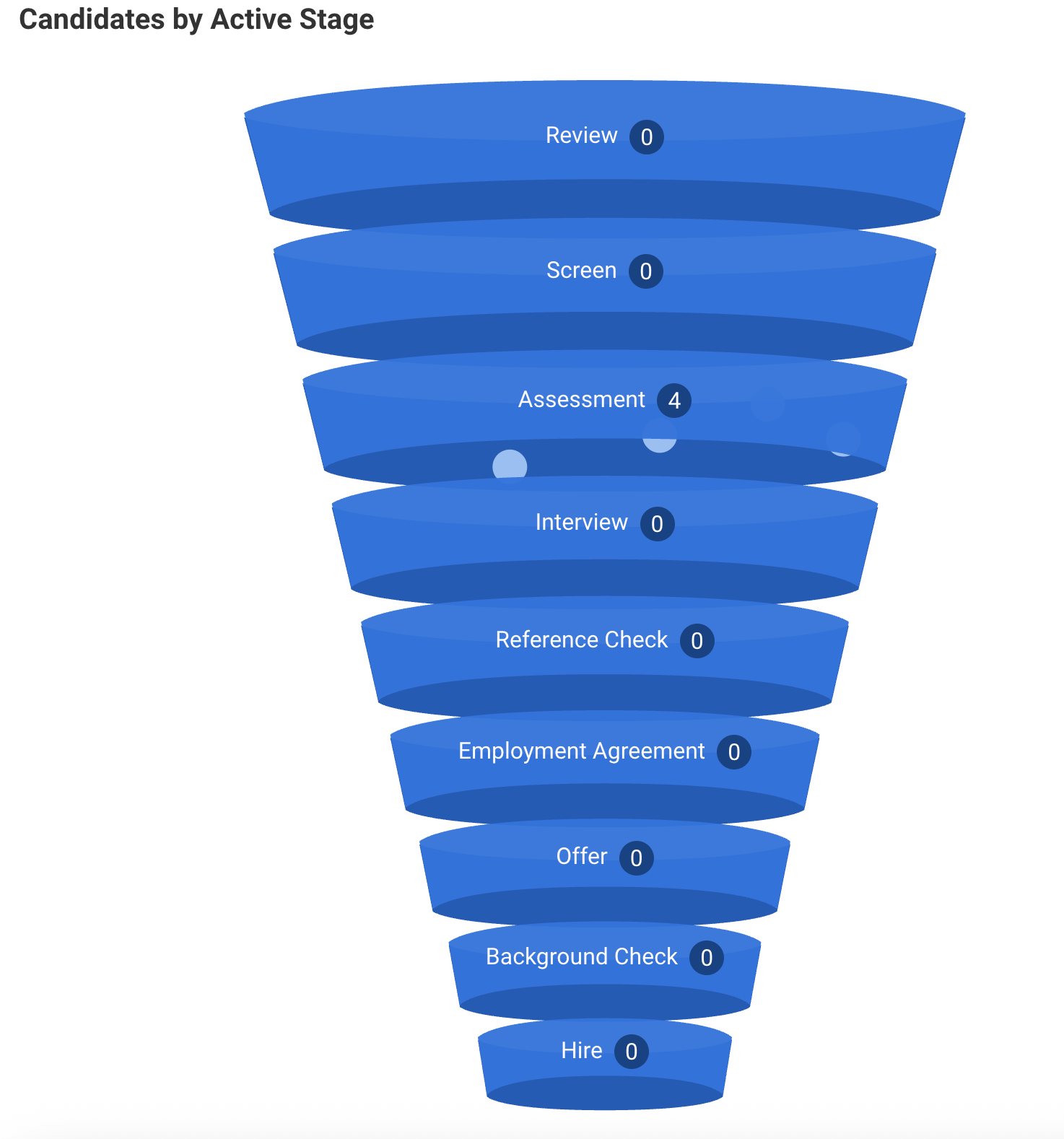
This guide is for recruiters and hiring managers using the Karat + Workday integration. It covers how to set up job requisitions for Karat assessments, invite candidates, and review results in Workday.
With the integration you can:
- Invite candidates to their Karat interview from within Workday
- See Karat status and recommendation updates in Workday
- Use role-based or archetype-based assessment tests (archetype-based lets Karat create roles from templates when you invite, so you don’t have to pre-create every role in Karat)
Choosing Role-Based vs Archetype-Based Assessment Tests
- Role-based (KARAT ROLE):
- Each Workday assessment test points to a specific Karat Role. Use this when you already have a Karat role per job (e.g. “Software Engineer – Backend”) and want a 1:1 link.
- Archetype-based (KARAT ARCHETYPE):
- Each Workday assessment test points to a Karat Archetype (interview template). When you invite a candidate from a job requisition that uses an archetype:
- If Karat already has a role for that requisition, that role is used.
- If not, Karat can create a new role from the archetype for that requisition and then send the invite.
- This is useful when you create many requisitions and don’t want to pre-create every matching role in Karat.
Automatic Hiring Team Provisioning
When a role is created using an archetype-based package, Karat automatically creates user accounts for the hiring manager and recruiter listed on the Workday requisition. Both users are extracted from the requisition's Supervisory Organization and added as followers on the role.
New users receive a "Welcome to Karat" email with a login link and a "Your role is live in Karat!" email with the role's assessment details.
For more details on what new users receive, see How To: Manage Karat Users (RBAC).
Add the Karat Assessment to Your Workday Assessment Tests
Maintain Recruiting Assessment Tests (Workday)
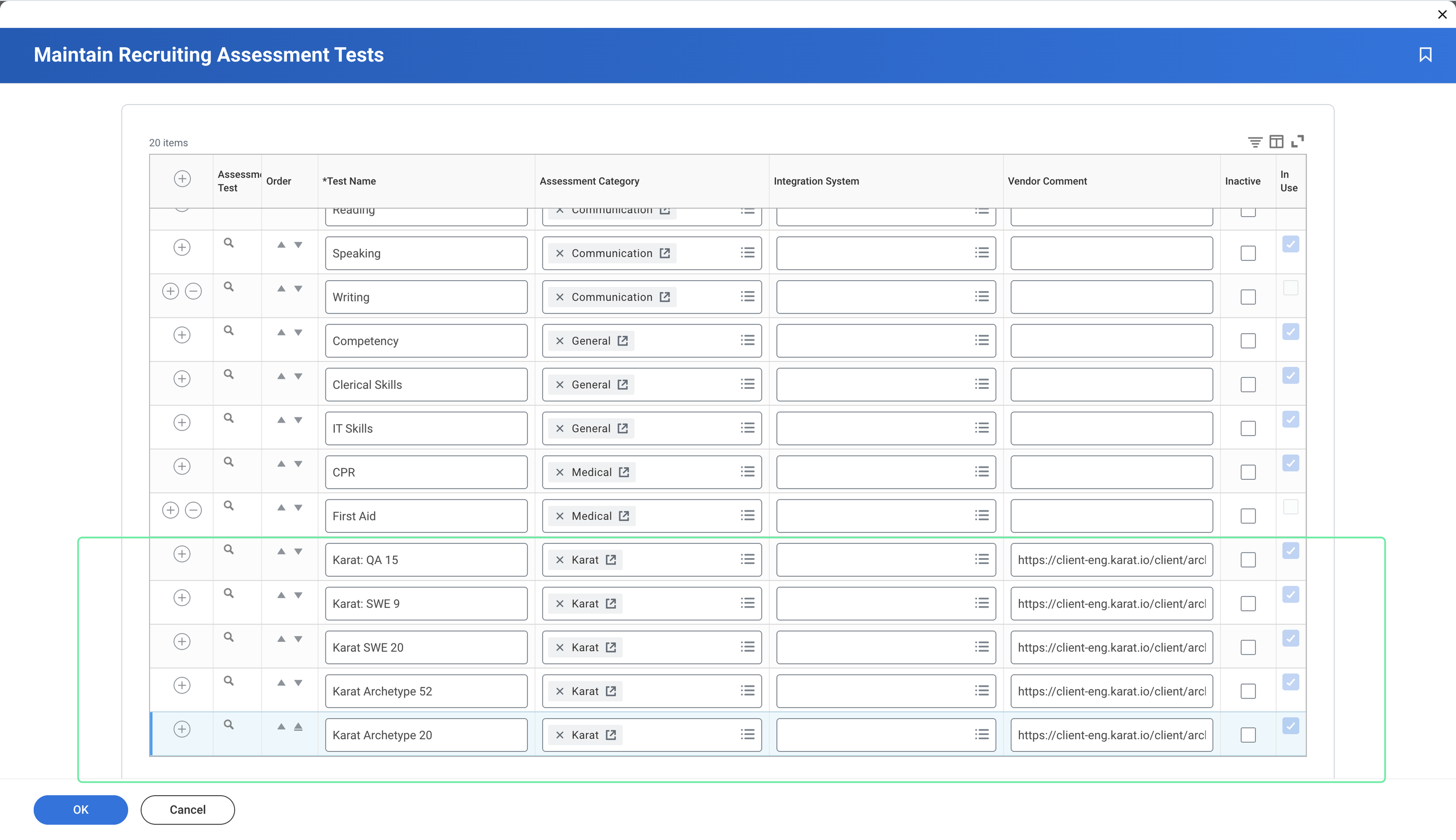
Create (or edit) an assessment test for each Karat Role or Karat Archetype you want to use. You need at least one test per role or archetype you’ll assign to requisitions.
Maintain Reference IDs (Workday)
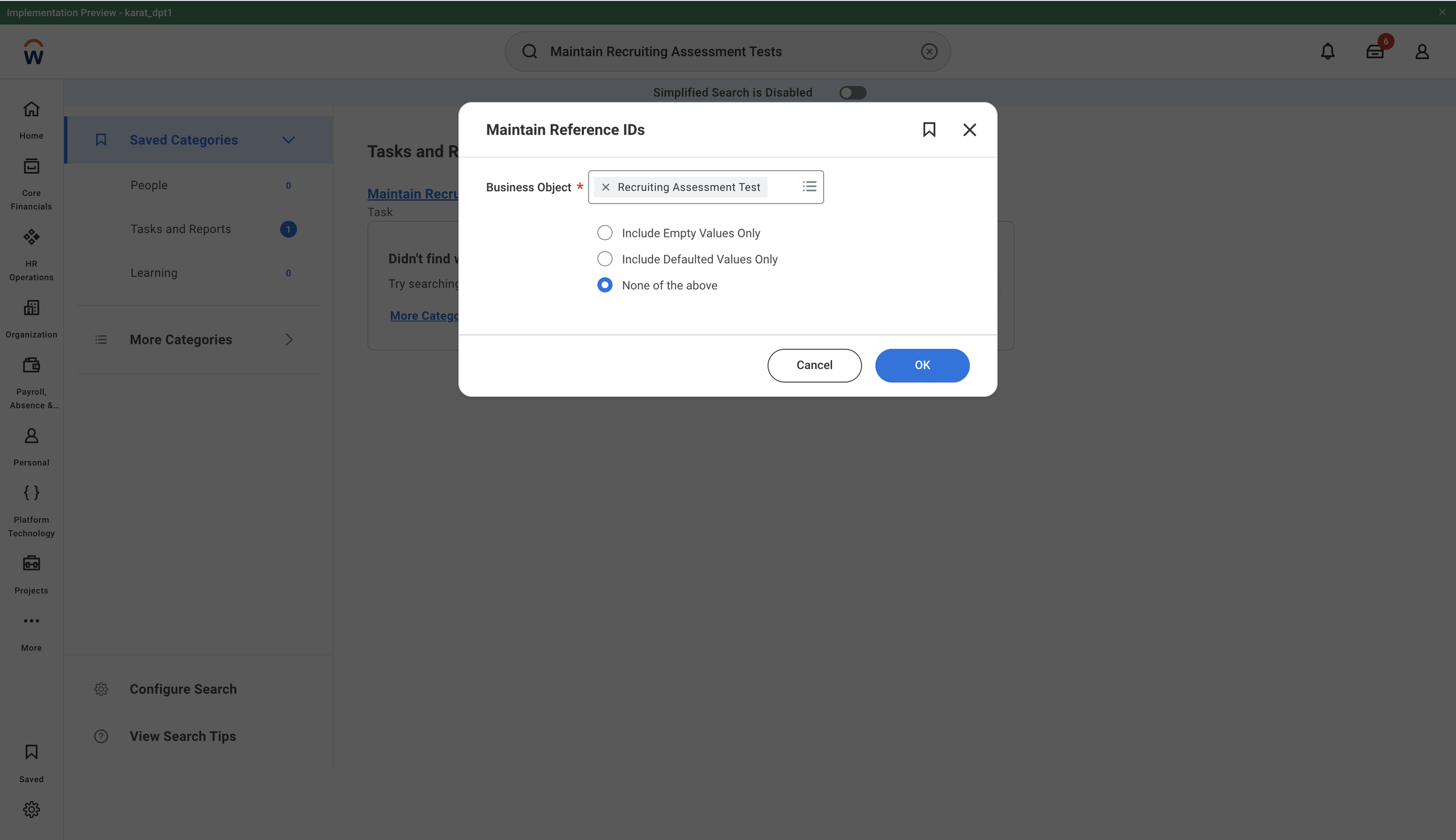
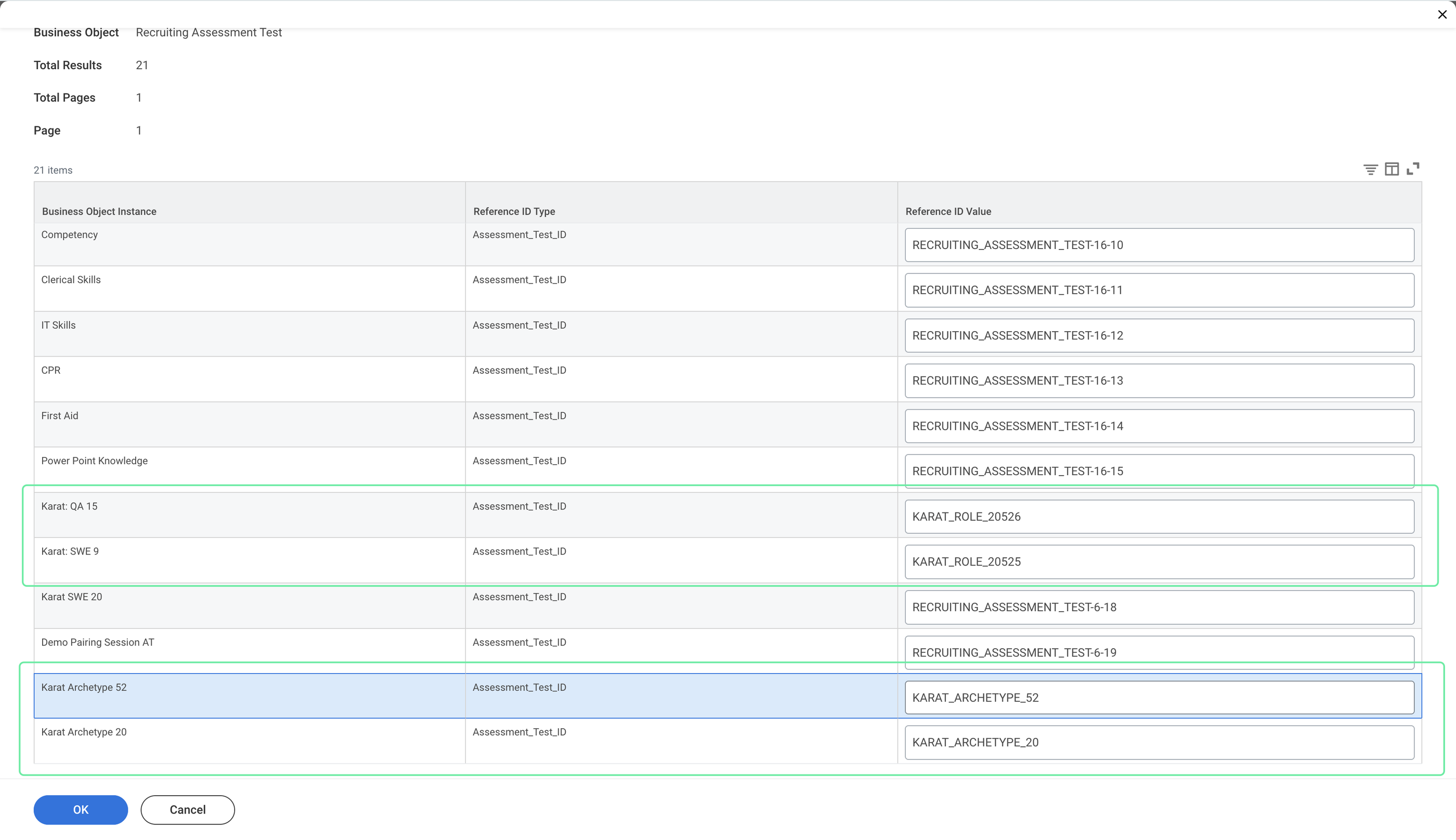
Set the assessment test’s reference ID to match how your admin configured Karat:
-
Role-based:
{prefix}{Role ID} - Example: if the prefix is
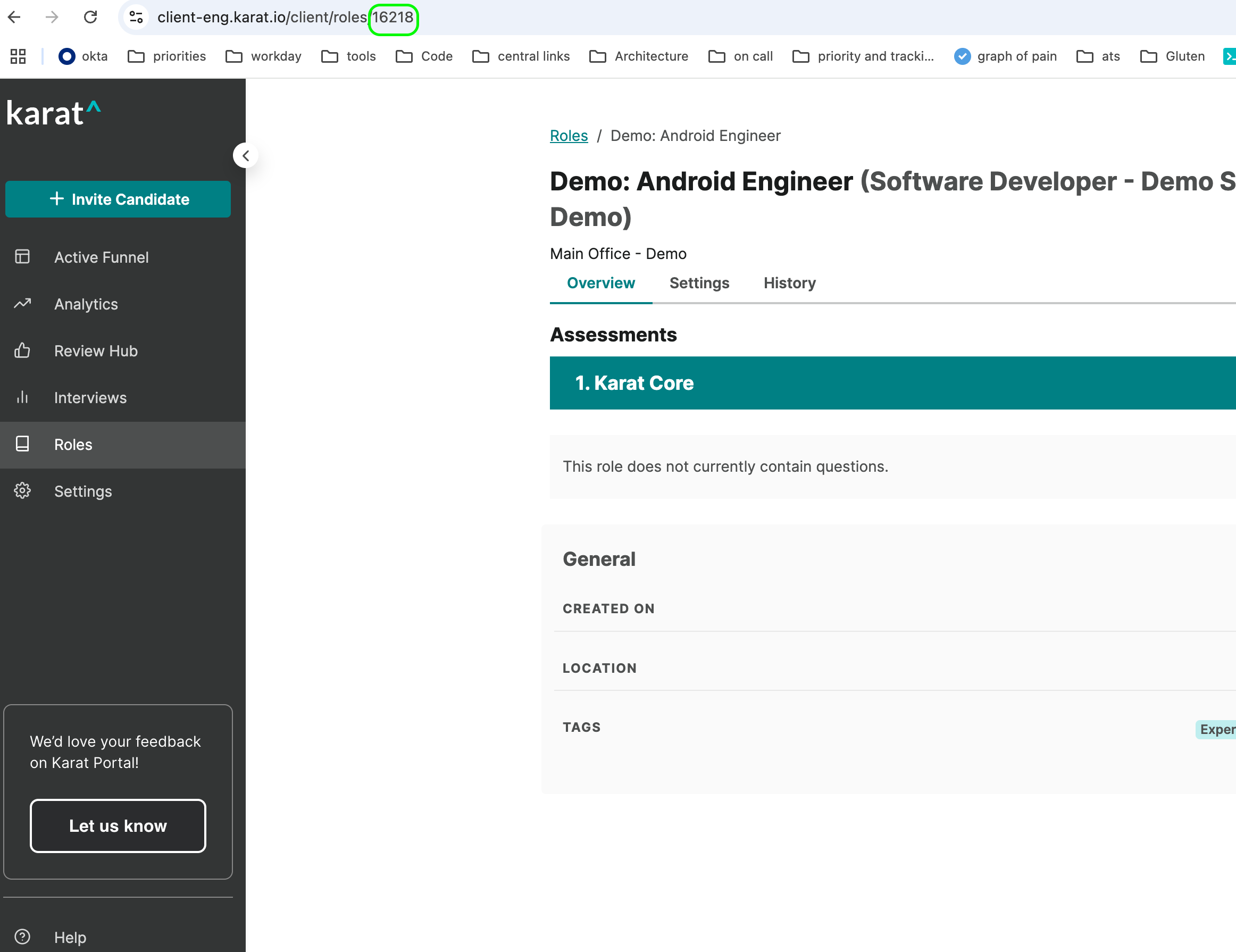
KARAT_ROLE_, useKARAT_ROLE_12345(get the Role ID from the Karat role URL when viewing the role in Karat).
Role Id's can be retrieved from the URL of the Role when viewing in Karat
-
Archetype-based:
{archetype prefix}{Archetype ID} - Example: if the prefix is
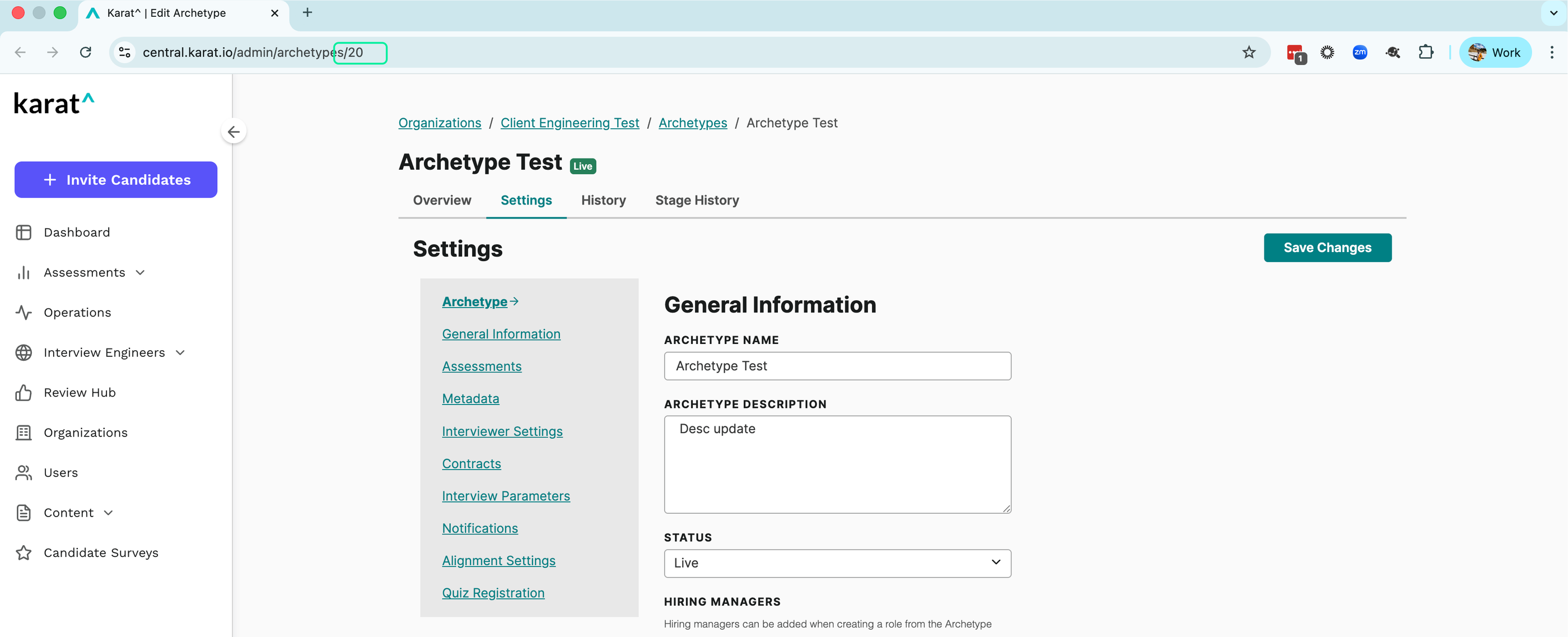
KARAT_ARCHETYPE_, useKARAT_ARCHETYPE_abc
Archetype Id's also can be retrieved from the URL of the Archetype when viewing in Karat
Add Default Assessment Test to Job Requisition
Create/Edit Job Requisition (Workday)
For each job requisition that should use Karat:
- Set the Default Assessment Test (or equivalent) to the Karat assessment test you created (role-based or archetype-based).
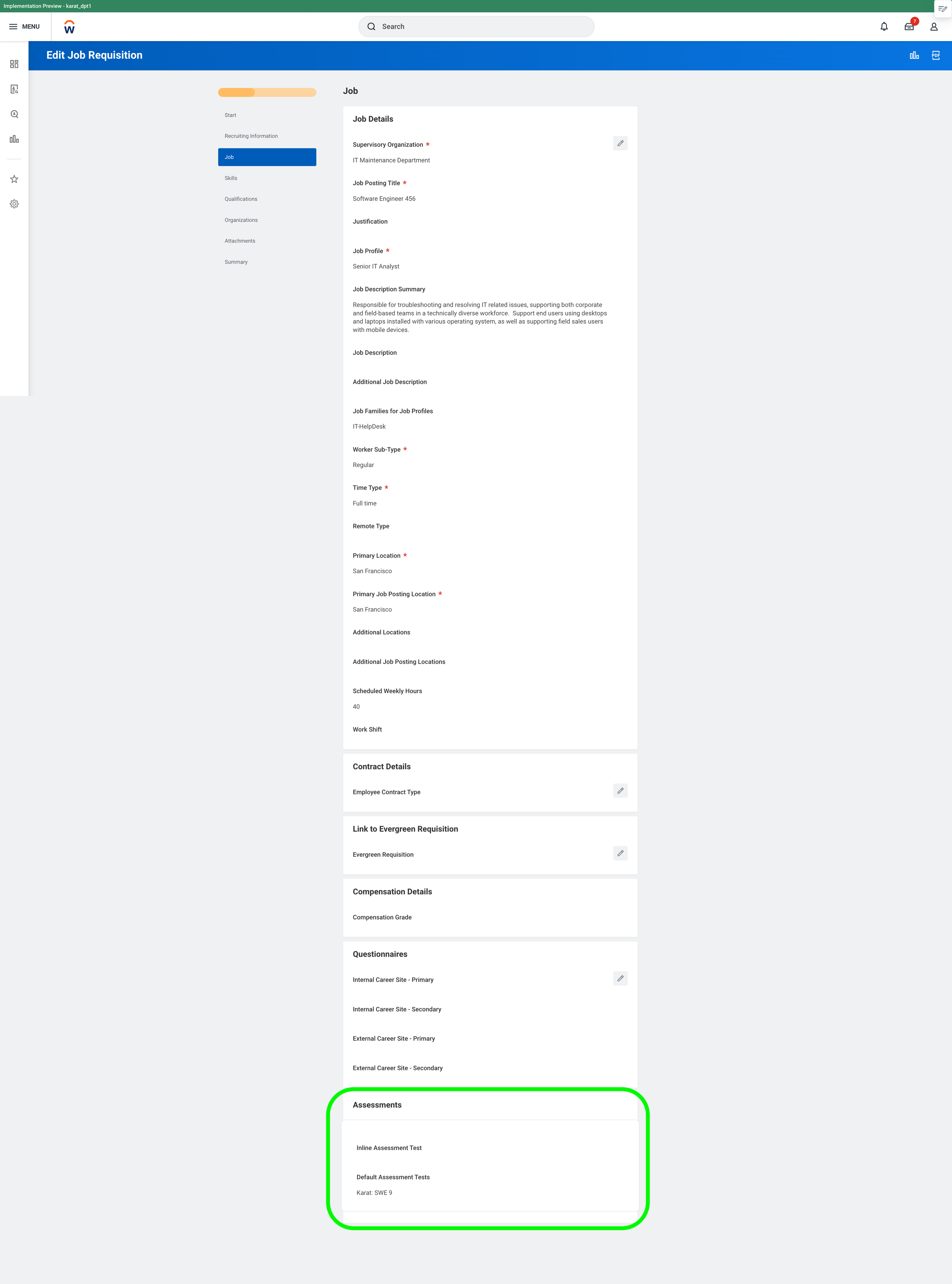
Once this is set, candidates moved to the Assessment stage for that requisition can be picked up by Karat and invited.
How Candidates Get Invited to Karat
Karat polls Workday for candidates in the Assessment stage for job requisitions that have a Karat default assessment test. Candidates that match are invited to a Karat assessment.
- For role-based tests, the invite uses the Karat role tied to that test.
- For archetype-based tests, Karat uses the archetype; if needed, it creates a role from that archetype for the requisition and then sends the invite.
What Appears in Workday (Assessment Test Results)
As the candidate progresses, Karat posts status and results back to Workday.
Assessment Test Status
- Karat Recommendation: After the candidate completes the Karat interview and results are published, the integration sets this field (e.g. Do not pursue, Requires further review, Invite to next round, Fast track).
| Karat Recommendation | Assessment Test Result Status |
| Fast Track | Pass |
| Invite to Next Round | Pass |
| Requires Further Review | Fail |
| Do Not Pursue | Fail |
- Candidacy Status: Granular status before the final recommendation (e.g. Scheduling, Scheduled, Cancelled). These can map to Incomplete if you don’t need distinct Workday statuses.
| Karat Status | Assessment Test Result Status |
| Scheduling | Incomplete |
| Scheduled | Incomplete |
| Cancelled | Incomplete |
- Integrity Review Status: When an interview is flagged for integrity review, Workday can show Integrity Review Required, Confirmed Integrity Violation (Fail), or Confirmed No Integrity Violation (then the Karat recommendation is used).
Assessment Test Date
The date the result/recommendation is posted.
Assessment Test Comment
- Karat Status: Latest candidate status from Karat (e.g. scheduled, rescheduled, cancelled, redo requested).
- Karat Summary: Short recommendation and scoring summary after the interview is complete.
Assessment Test URL
- Karat Result URL: Link to the full Karat results and interview video, posted when results are sent to Workday.
Bulk Management
Bulk Invite (Moving to Assessment Stage)
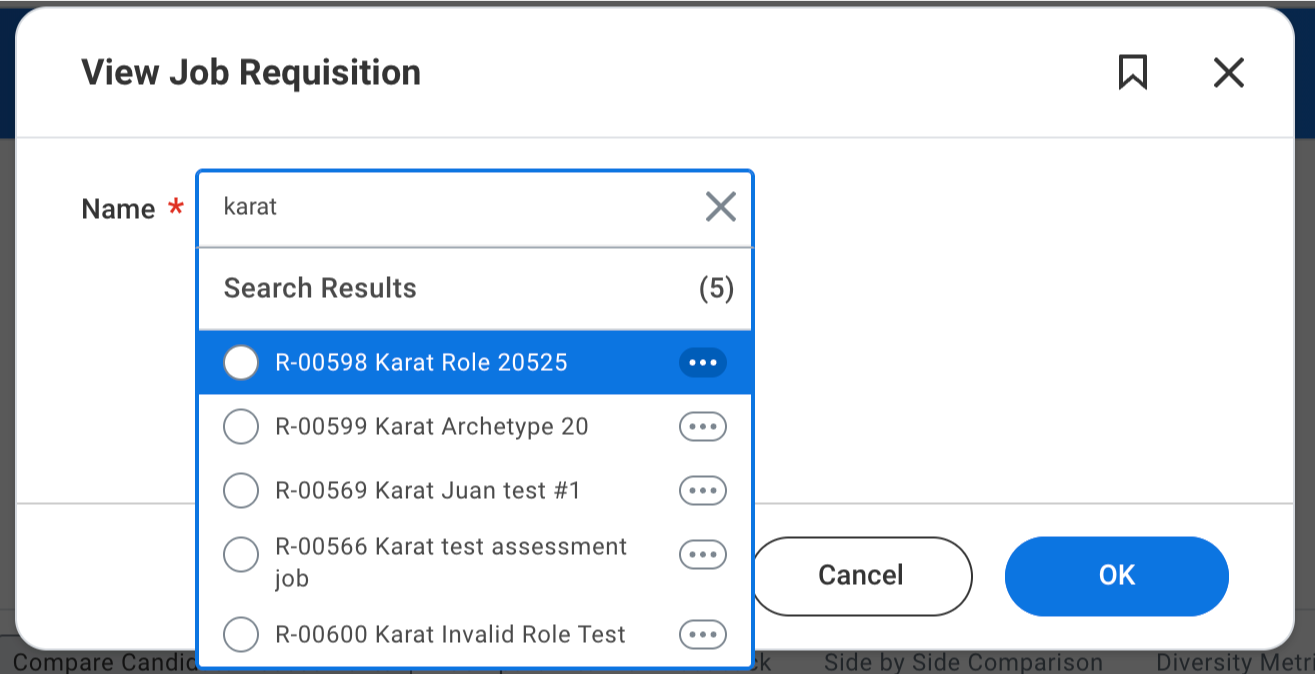
- Search for the View Job Requisition report and open the desired job requisition.
2. In the candidate pipeline, select the Review or Screen stage (or the stage before Assessment).
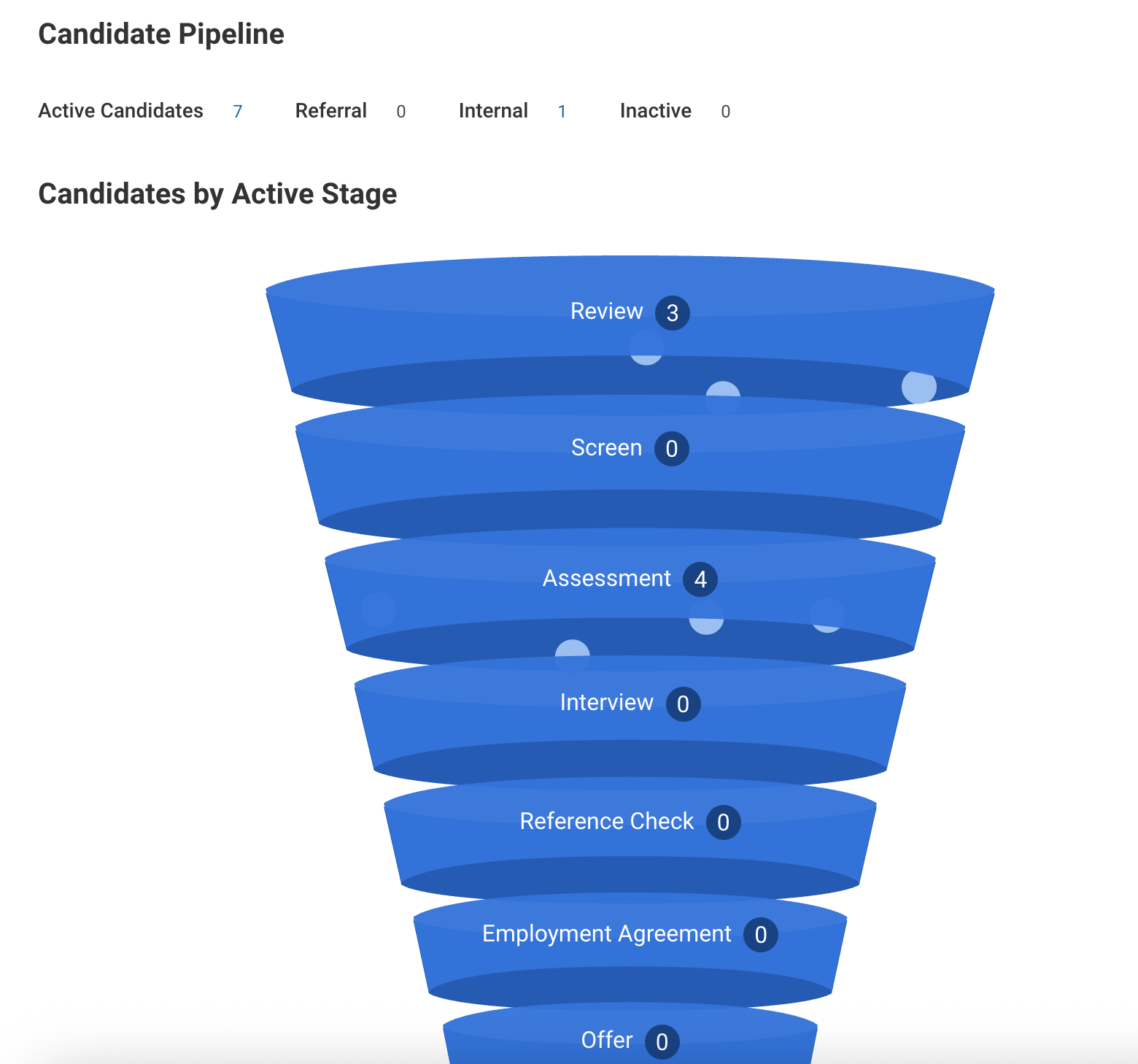
3. Click Candidate Actions.
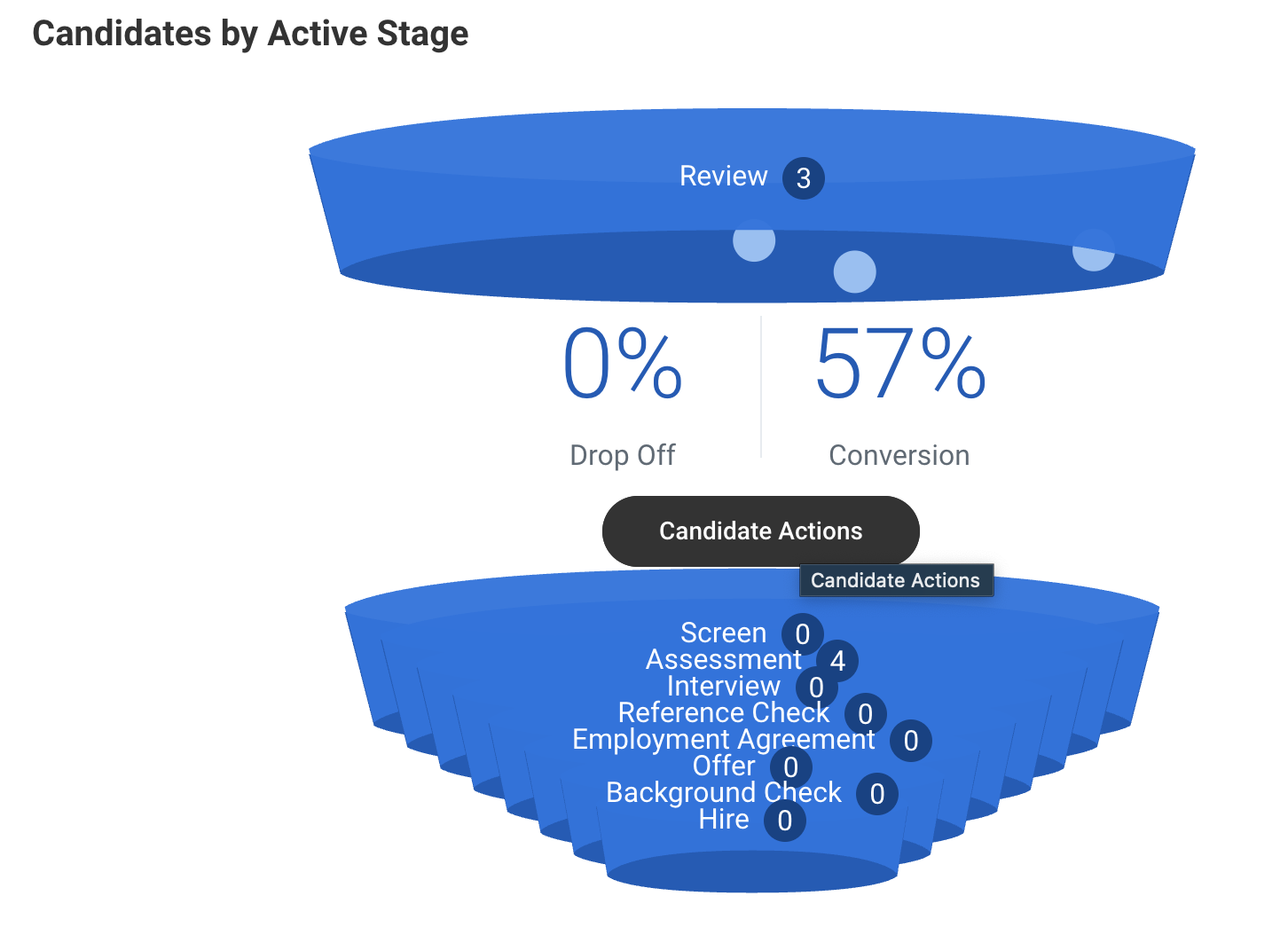
4.On the Review Candidates page, select the candidates to invite to the Karat assessment and click Move Forward.
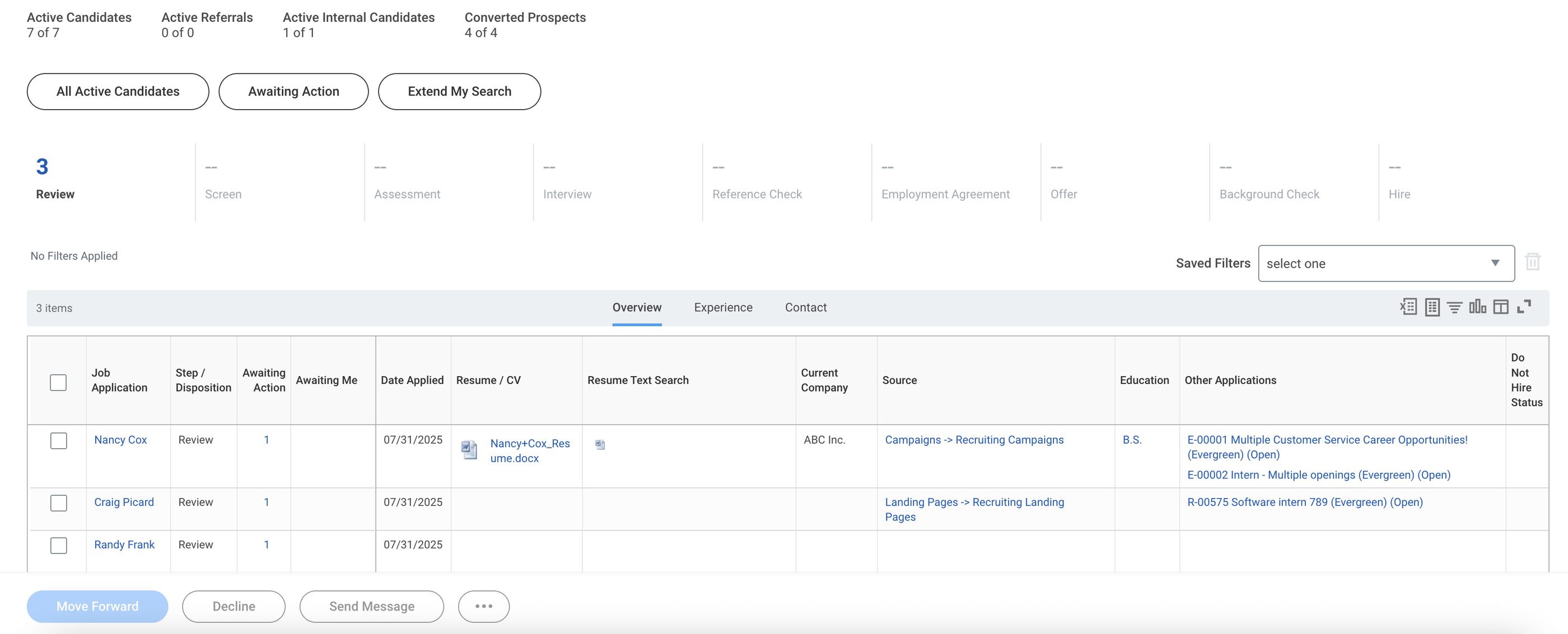
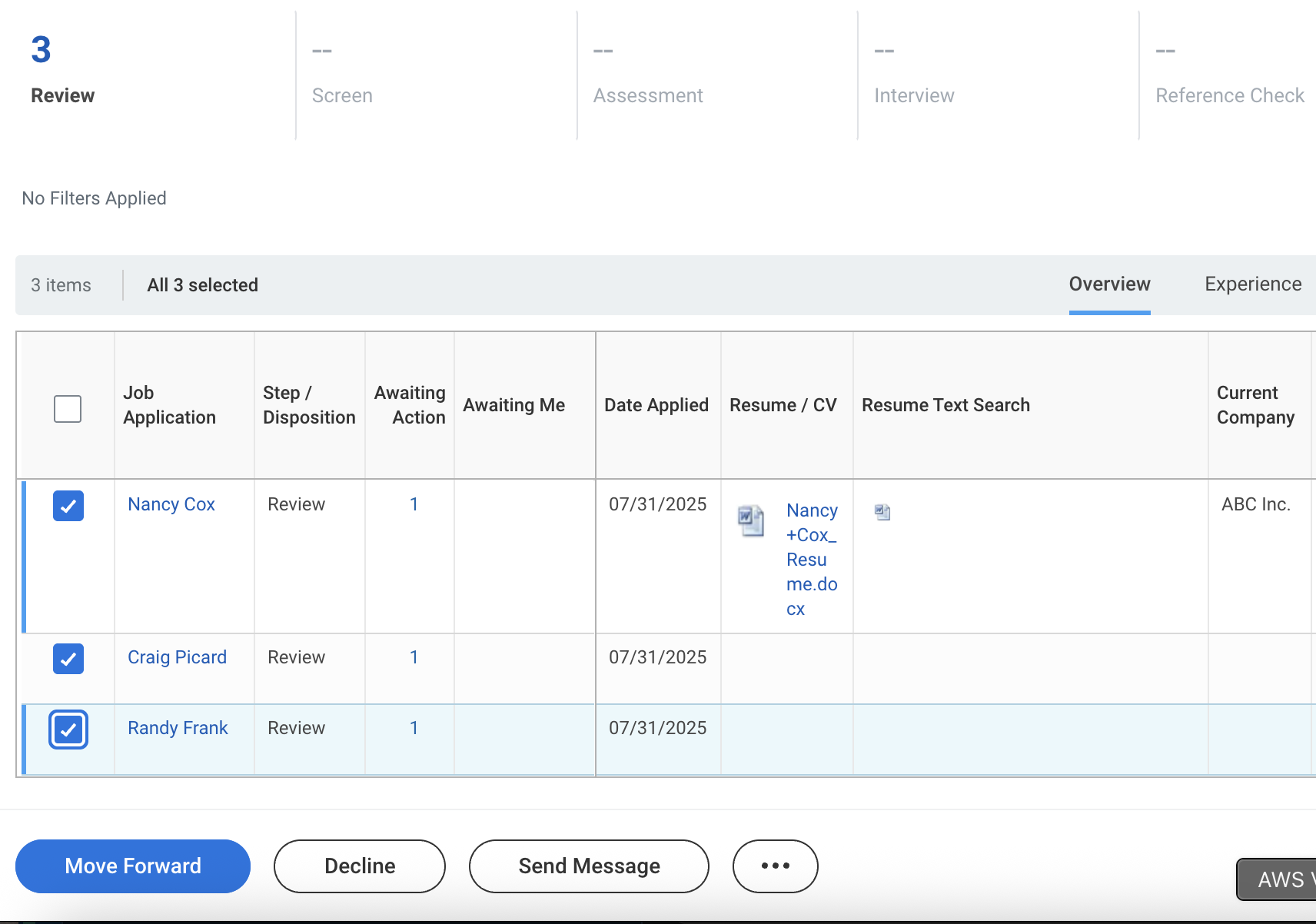
5. In the Move Selected Candidates to Next Stage dialog, choose the Assessment stage and click OK.
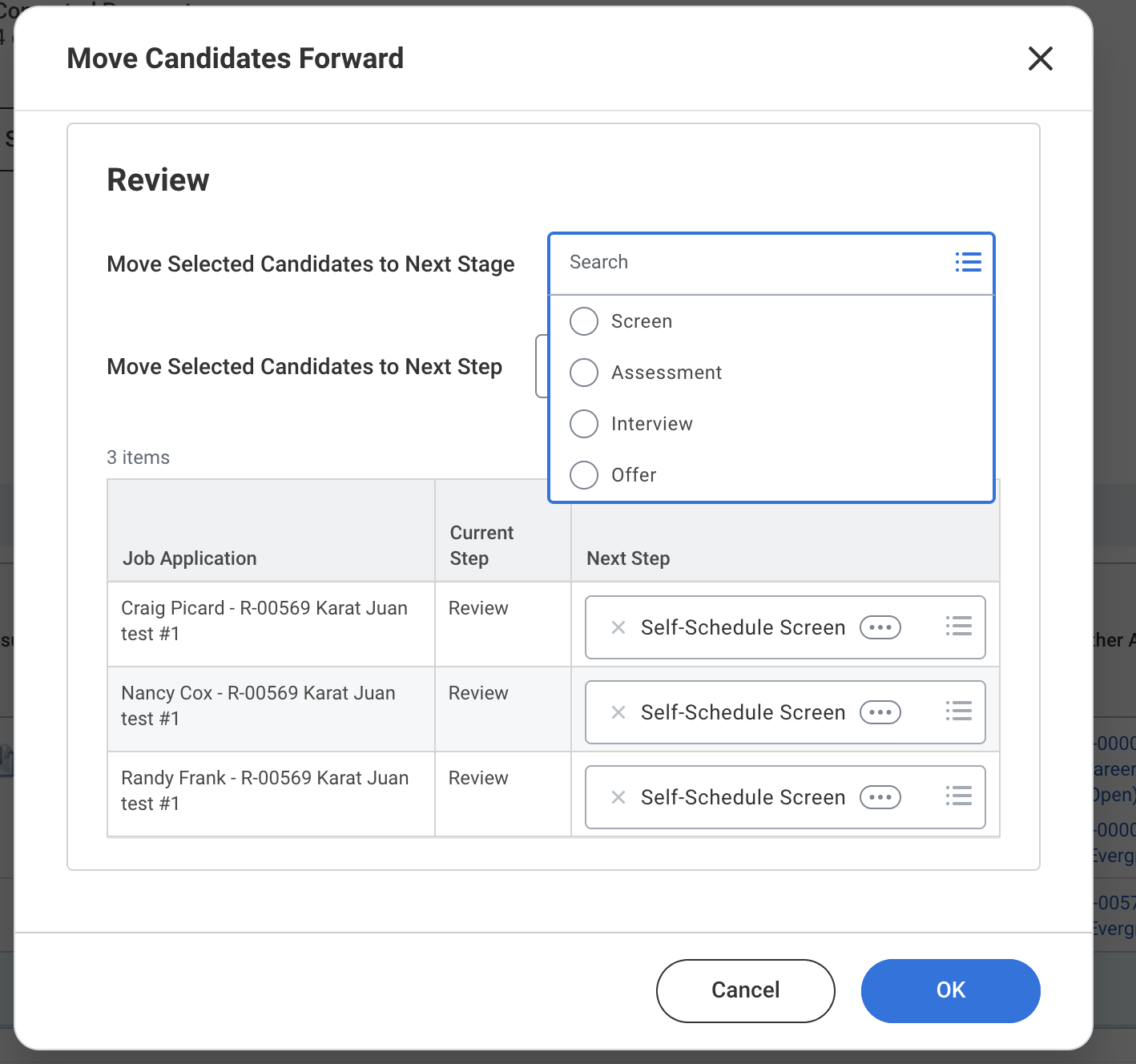
Candidates will appear in the Assessment stage. Karat will pick them up on the next poll and send invites.
- To see assessment status, open the Candidates tab on the View Job Requisition report and use the Compare Candidate Assessments subtab.
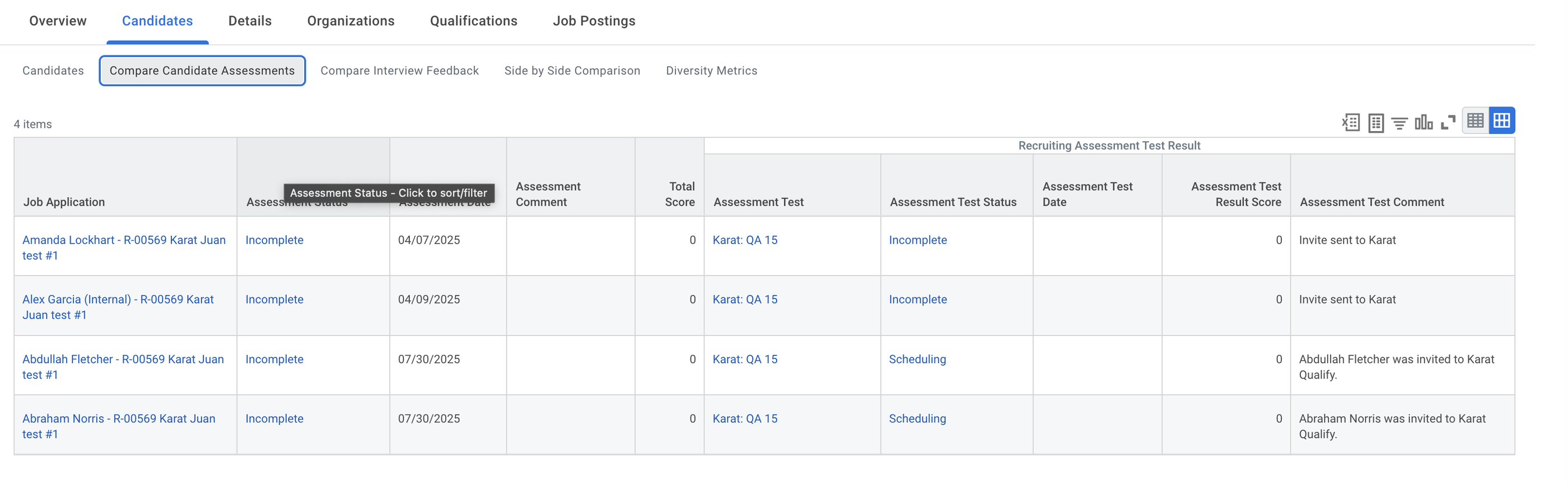
Assessments may take a short time to appear; Karat updates this view on its normal schedule (e.g. hourly).
Bulk Decline (Disposition)
- Open the View Job Requisition report and the candidate pipeline.
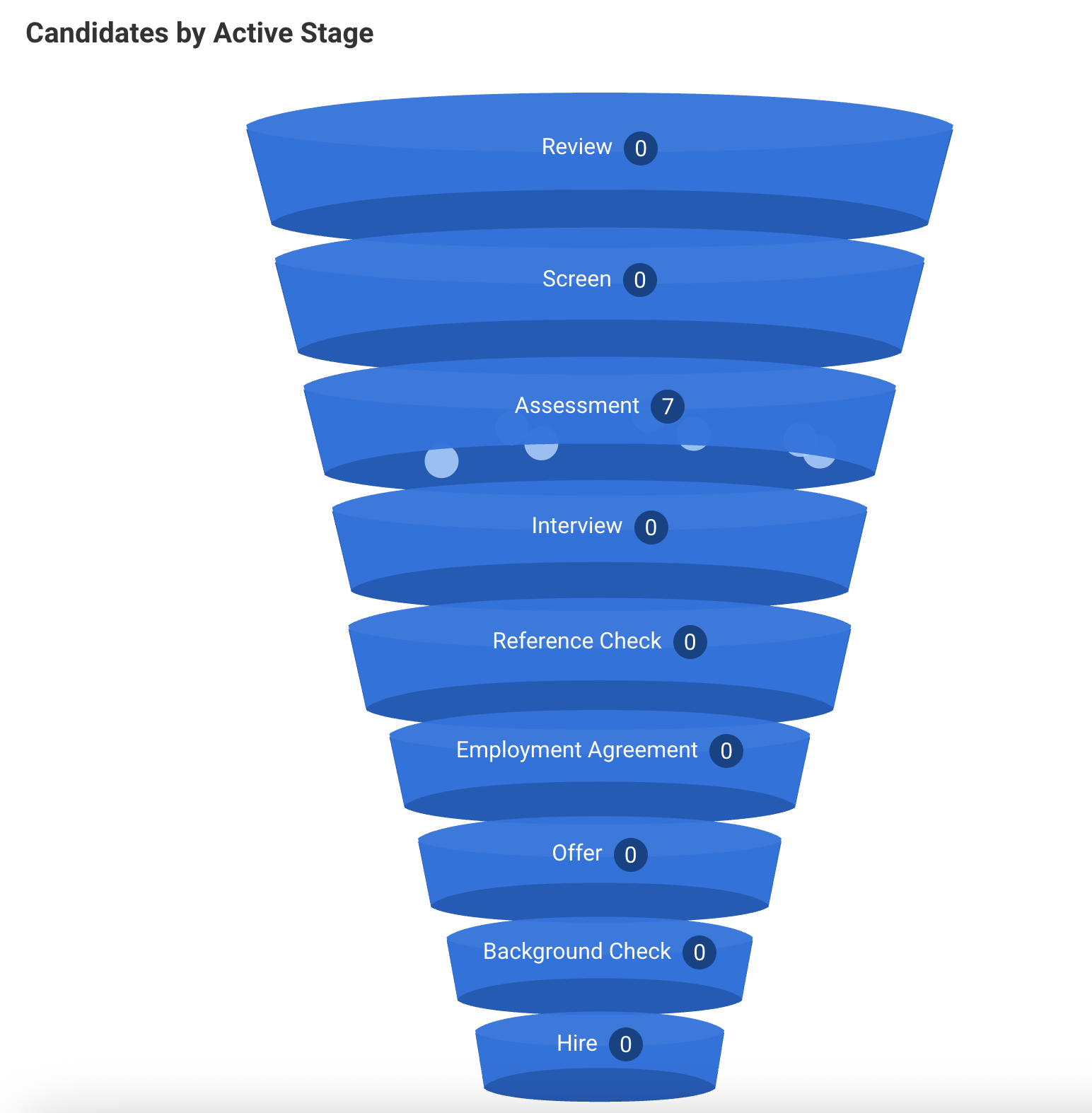
2. Select the Assessment stage and click Candidate Actions.
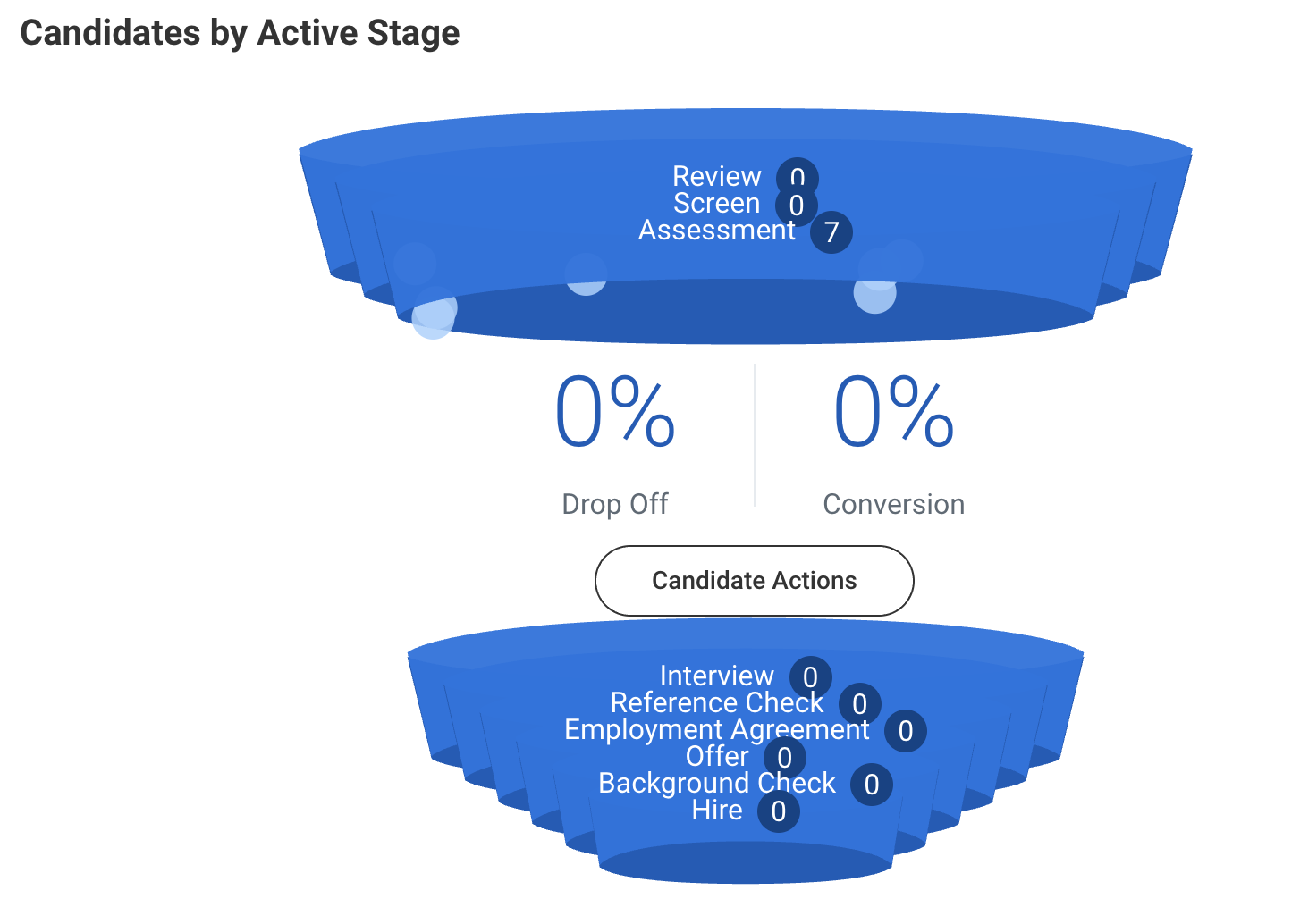
3. On the review candidates page, select the candidates to decline and click Decline.
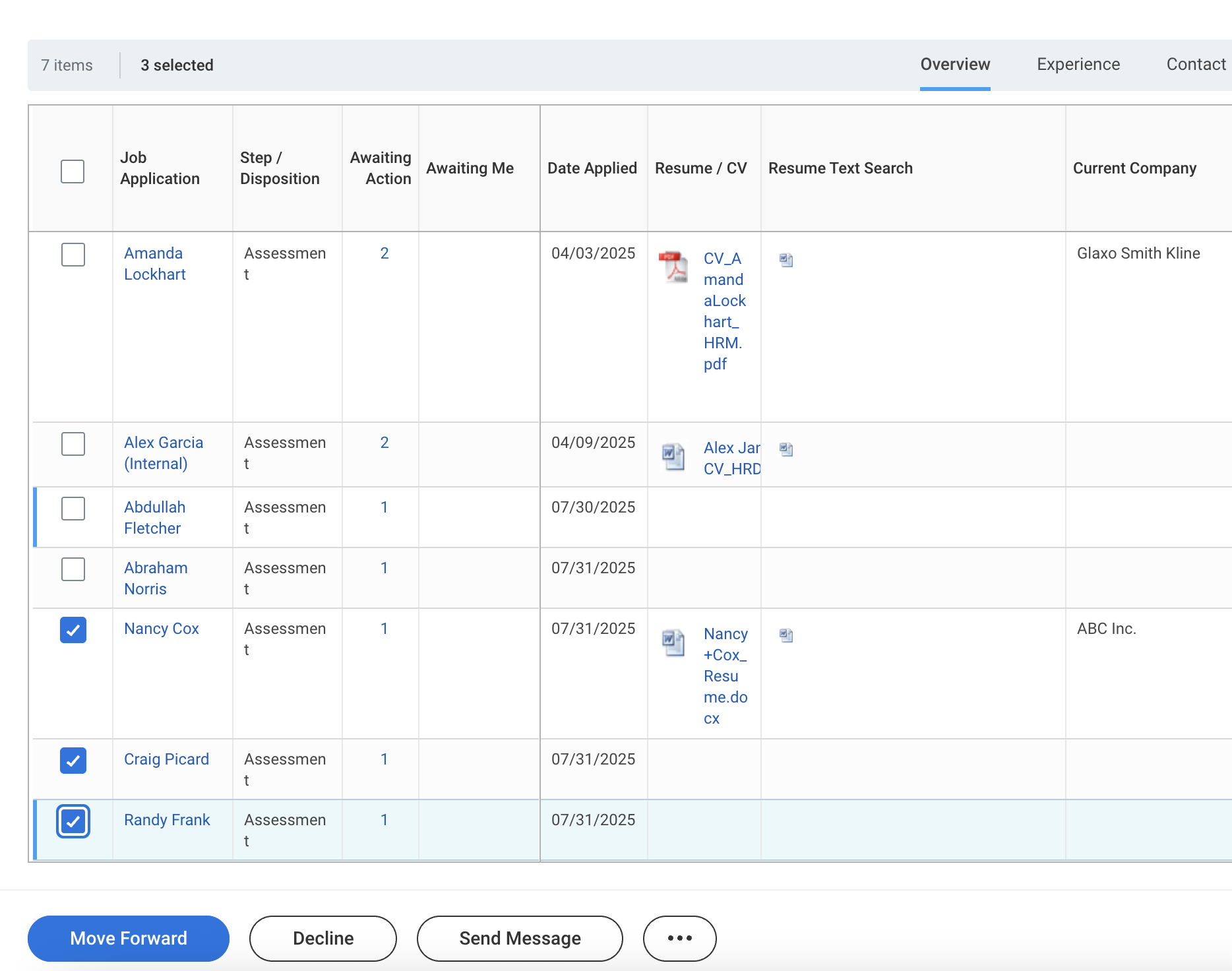
4. Choose a Disposition Reason (one for all or per candidate) and click OK.
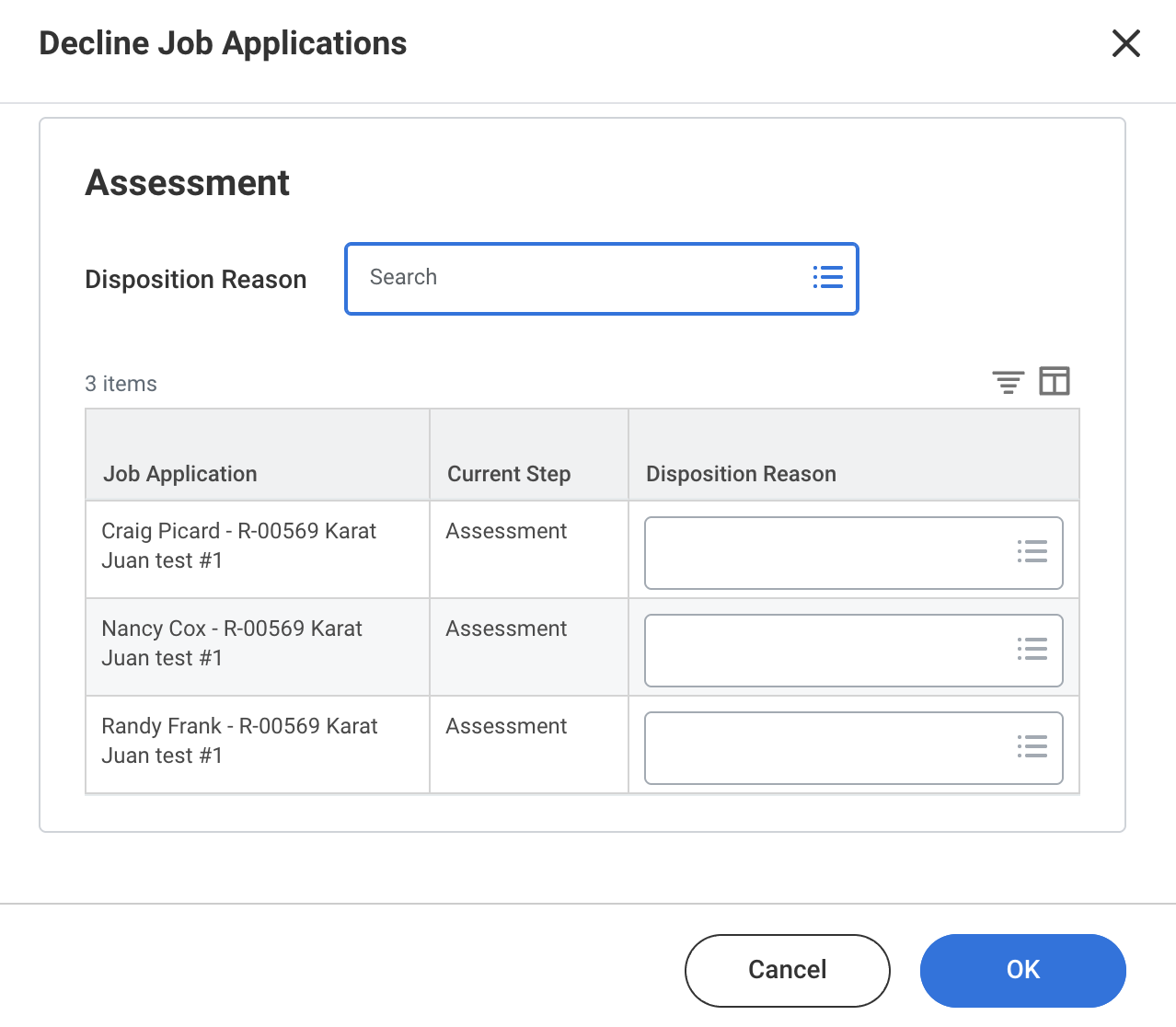
The candidates will be removed from the pipeline accordingly.